
One of the most common moments where training evidence is needed is when someone arrives on site.
Training Passport: Live Proof of Training
When someone asks whether a member of staff is trained, it should be easy to prove.
That might be a client checking records before a project starts, a site manager asking for evidence at the gate, an auditor reviewing compliance, or an inspector wanting to confirm that the right person has the right training for the task in front of them.
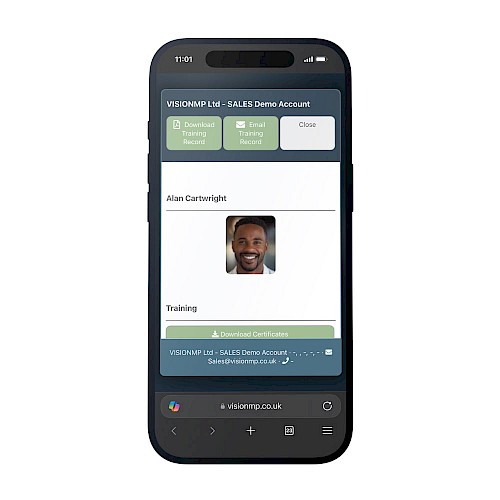
The challenge is that training records are often held in several places. Certificates may be saved in folders, attached to emails, printed out, stored in different systems, or carried around by the employee. The information may exist, but it is not always quick or simple to access when it is needed.
VISION’s Training Passport helps solve that problem.
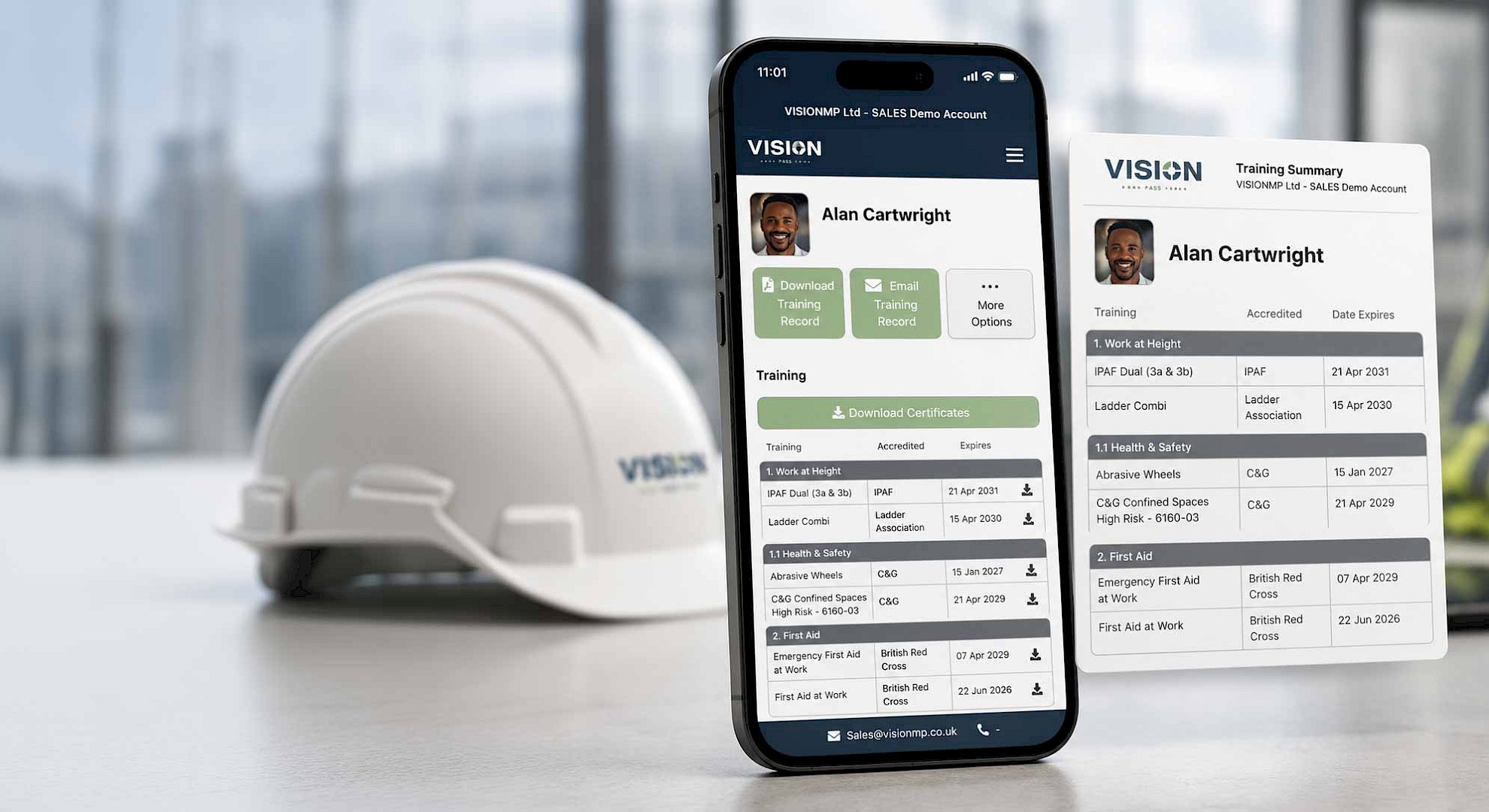
It gives each employee a live QR-linked training record, making it easier to show current, valid training evidence at the point it is needed.
A live record, not a static certificate pack
Many organisations still rely on certificates being downloaded, emailed or printed.
That can work at the time, but it creates a problem: the evidence is only accurate at the moment it is sent.
If a course expires, a new certificate is added, or an employee completes further training, that old certificate pack may no longer reflect the current position.
The Training Passport works differently. It is connected to the employee’s live training record in VISION.
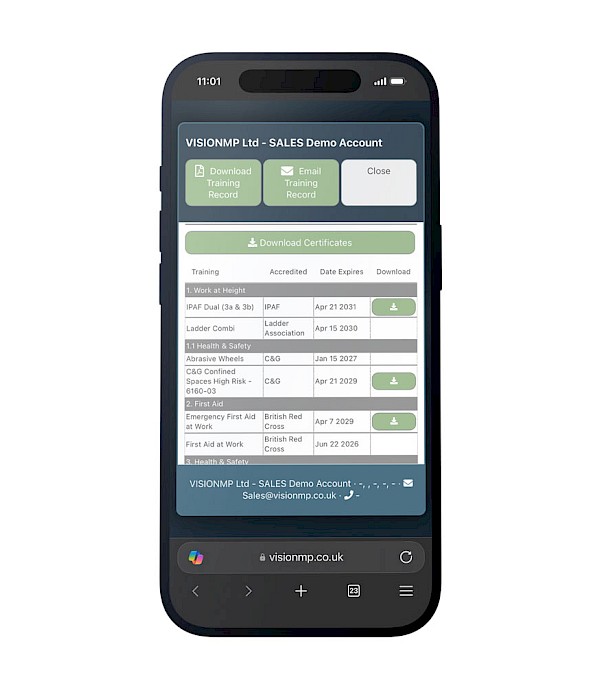
When scanned, it shows the training that is currently valid and completed. Training that has expired does not appear as current evidence. Training that has been assigned but not yet completed is not shown as valid training.
This means the Training Passport gives a clearer view of the employee’s current training status, rather than relying on old files or assumptions.
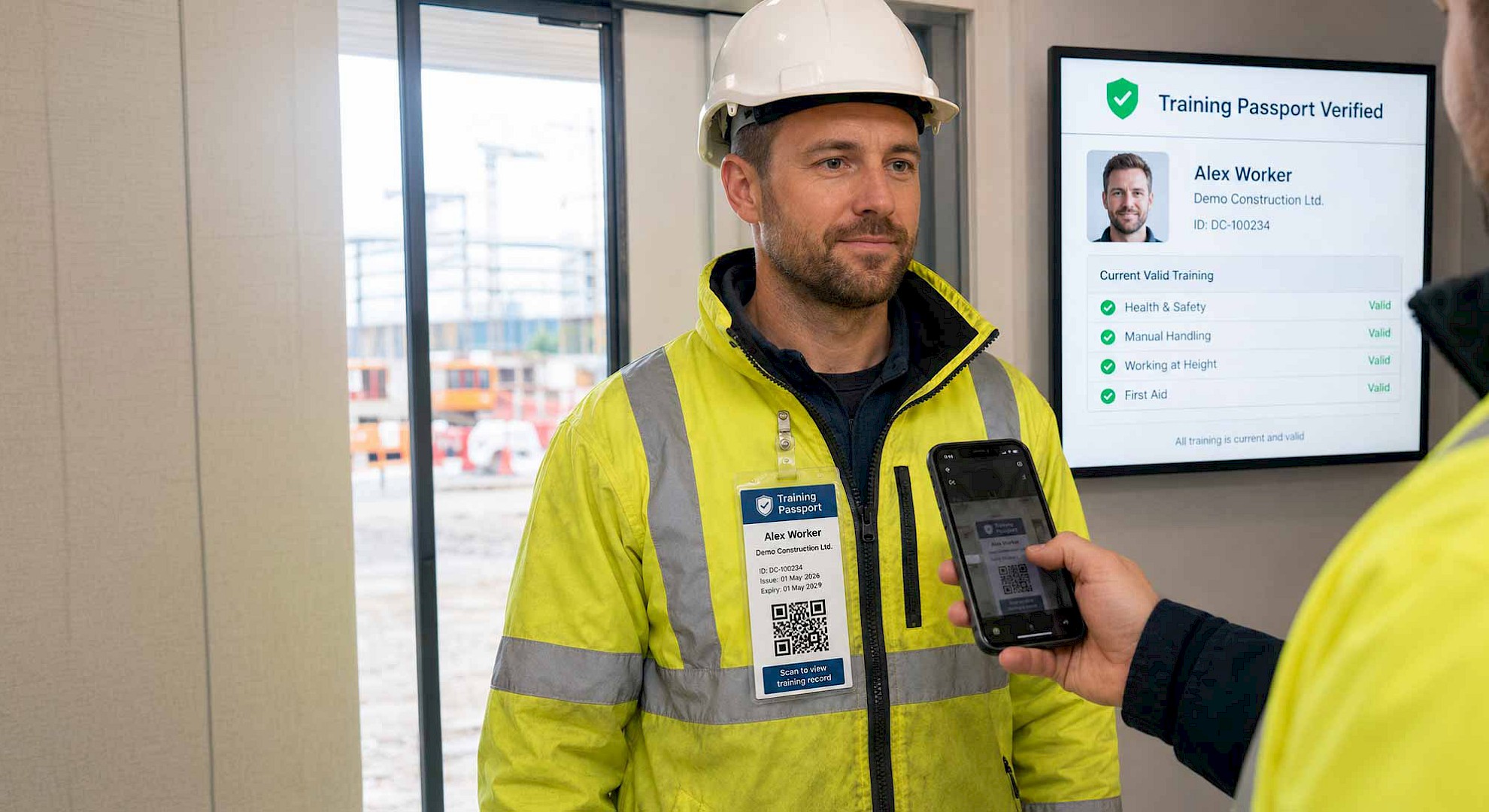
A contractor may be ready to start work, but the client or principal contractor needs to confirm that they have the right training first. Traditionally, this can lead to calls back to the office, searches through folders, or emails being sent with copies of certificates.
With the Training Passport, the worker’s current training record can be checked quickly.
The passport can be printed, emailed, saved digitally, added to an ID badge, or attached to a hard hat. This gives the employee a simple way to show their training evidence without needing to carry several separate certificates or cards.
When a client needs reassurance before work begins
Training evidence is not only needed at the gate. It is often needed before a project starts.
If a team is due to work on a client site, the client may want to know that everyone attending has the correct training in place. Sending a static set of certificates may help, but those records can become outdated if the project runs over several weeks or months.
The Training Passport gives the client a way to check the current record when they need it.
This can support better planning, especially for contractors, facilities management teams, construction teams and organisations working across multiple sites. If a training issue needs to be resolved, it can be spotted before it causes a delay.
When an auditor or inspector asks for proof
Audits and inspections often test how accessible training records really are.
A company may know that its staff have completed the right training, but proving that quickly can be another matter. Evidence may sit with a manager, a training provider, a learning platform, a spreadsheet, an inbox, or a folder that only certain people can access.
The Training Passport helps make that process more direct.
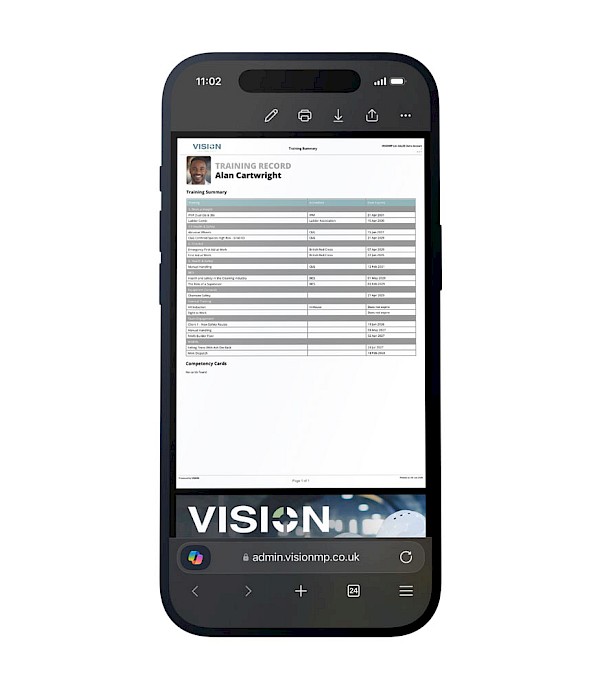
When proof is requested, the employee’s current training record can be checked and supporting evidence can be accessed. This includes the ability to download a full training record or download certificates, depending on what is needed.
That can help reduce the disruption of compliance checks and give managers more confidence that evidence is available when required.
When work takes place on secure sites
Some working environments have extra restrictions. This can include MOD, government, infrastructure or other secure sites where personal phones, laptops or devices may not be allowed.
In those situations, checking training records can become more complicated.
The Training Passport gives organisations a practical way to keep training evidence accessible. If authorised site personnel are permitted to use a device, they can scan the Training Passport and check the worker’s record, even when the worker does not have access to their own phone or system.
This makes it useful for controlled environments where training evidence still needs to be checked clearly and efficiently.
Simple for employees
The Training Passport is designed to be easy for employees to use.
Not every worker needs access to the full VISION system. In many cases, employees simply need a way to show their training status when asked.
The passport can be issued directly to them, either digitally or physically. They can save it, receive it by email, or have it added to an ID badge or hard hat.
For larger teams, Training Passports can also be downloaded in bulk. This helps organisations issue them across multiple employees, depots, locations or departments without having to manage each one manually.

It can help answer important questions such as:
- Is this person currently trained for the work they are doing?
- Is their training still in date?
- Can we download evidence if needed?
- Can we check this before the project starts?
- Can the person on site be matched to the record being shown?
Where secondary identification, such as a photograph, has been uploaded, the Training Passport can also help confirm that the person presenting the record matches the training evidence being checked.
This adds another layer of reassurance, especially on busy sites or in environments where several contractors and teams may be working at the same time.
A lifetime Training Passport
When an employee is added to the Training Matrix or LMS in VISION, a lifetime Training Passport can be generated for that person.
This does not need to be replaced every time their training changes. As records are updated in VISION, the Training Passport continues to link to the current training record.
If a passport needs to be reissued for security reasons, such as a lost ID badge, a new one can be generated. Otherwise, the same Training Passport can continue to follow that employee.
A better way to share training evidence
The Training Passport helps turn training records into something more practical.
Instead of relying on static certificate packs, manual checks or folders of evidence, organisations can give employees a live way to show their current valid training.
This can help with:
- Site access checks
- Client reassurance
- Project planning
- Audits and inspections
- Secure sites
- Mobile teams
- Contractors
- Facilities management teams
- Construction teams
- Large workforces across multiple locations
The result is a simpler way to prove training when it matters.
Ready to see it in action?
Make training records easier to prove, share and trust
VISION’s Training Passport gives organisations a live, practical and easy-to-share way to prove employee training status across sites, teams and projects.
See how Training Passport works as part of VISION’s Training Matrix, including how live records can be shared, checked and downloaded.
Book a VISION demoTraining Passport
Health & Safety Valid
Working at Height Valid
First Aid Valid